Capture locally
Run the meeting capture and processing workflow from your Mac.
 Meeting Recorder
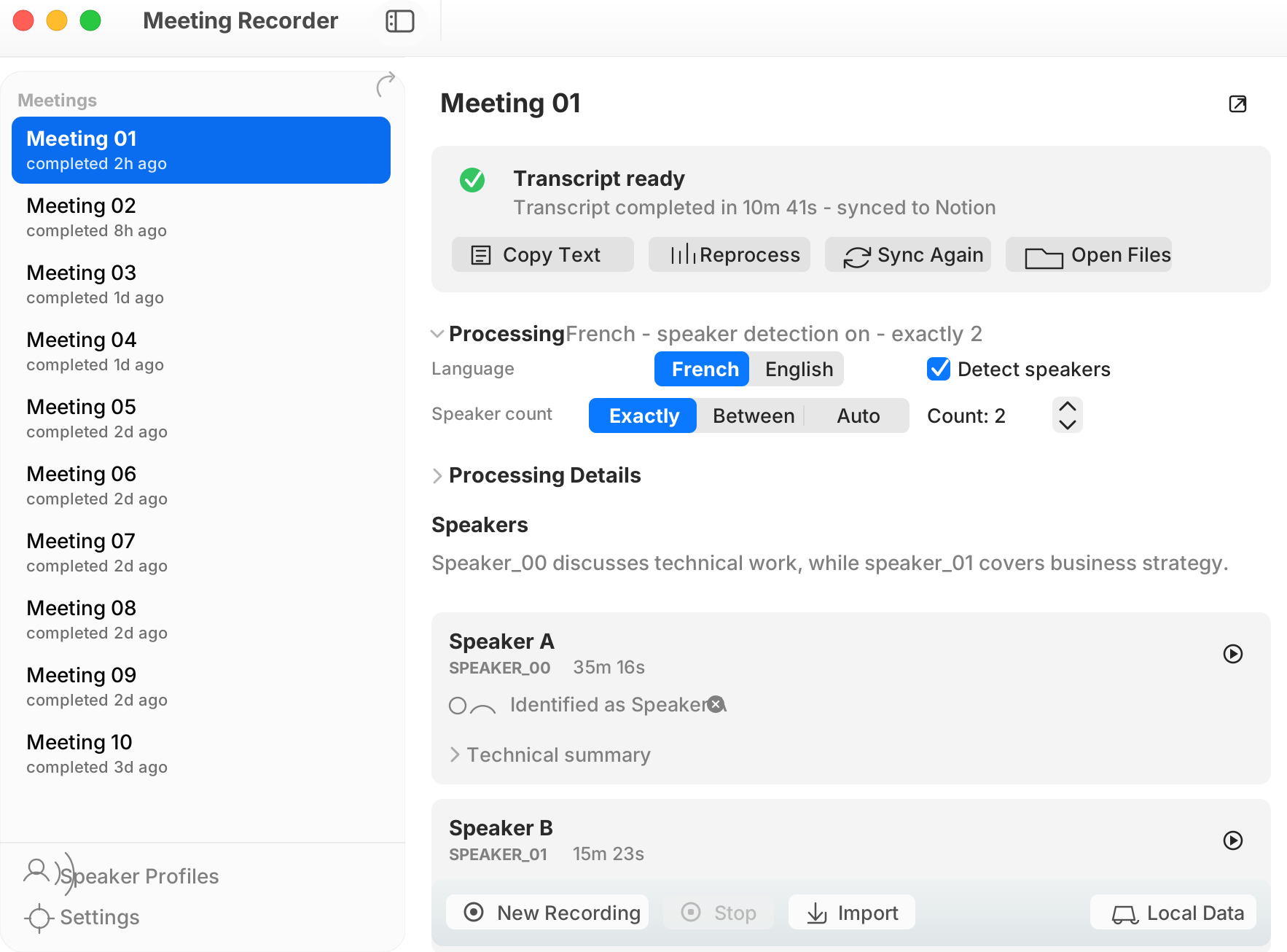
Free, fully local macOS transcription
Meeting Recorder turns meetings into structured transcripts on your Mac. No cloud processing, no subscription, and no lock-in: export clean text for the LLM or agent workflow you already use.
Free to use. Apple Silicon Mac recommended.
After download
xattr -dr com.apple.quarantine "/Applications/Meeting Recorder.app"Unsigned development builds may require the Terminal command above.
Workflow
Run the meeting capture and processing workflow from your Mac.
Use native WhisperKit processing with speaker-separated text when diarization is enabled.
Review speaker labels and produce readable output instead of raw meeting noise.
Export TXT, SRT, VTT, and JSON for the LLM, agent, editor, or knowledge base you prefer.
Privacy posture
Meeting Recorder does not require a hosted transcription account. Meeting data and generated transcript files live locally, while optional integrations are user-provided and can be left off. Audio is deleted automatically after 14 days by default, and the retention setting can be changed to 1 day, 14 days, 30 days, or never.